Database Management in Plesk
In this tutorial, we will explore how to handle database management in the Plesk control panel.
1) Access the Plesk admin panel by logging in.
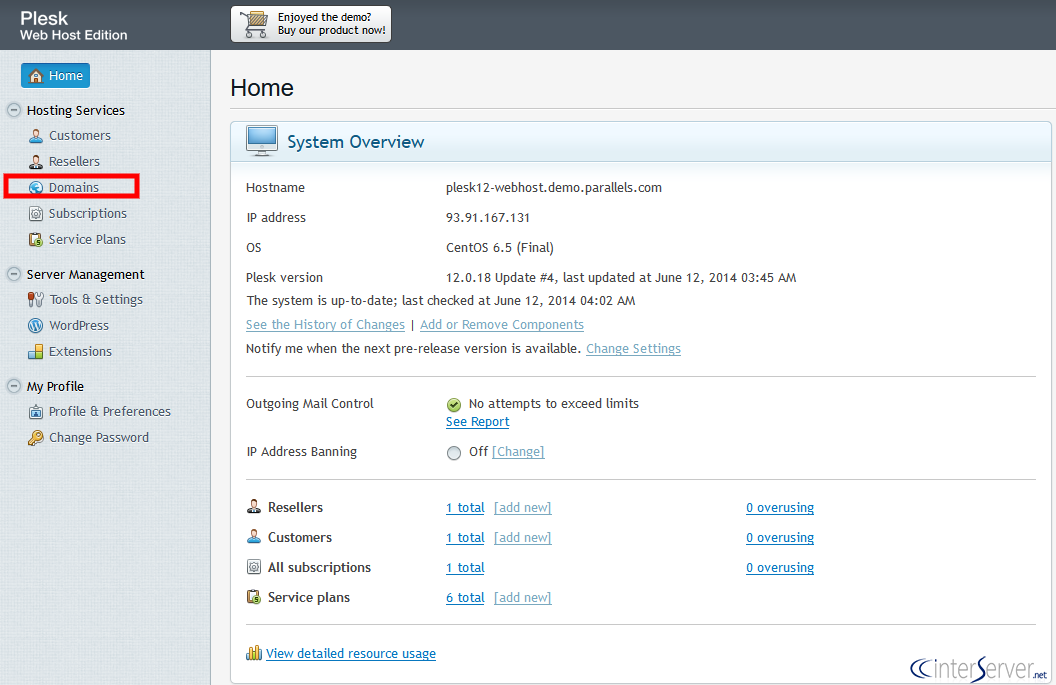
2) Locate and select the ‘Domains’ button.
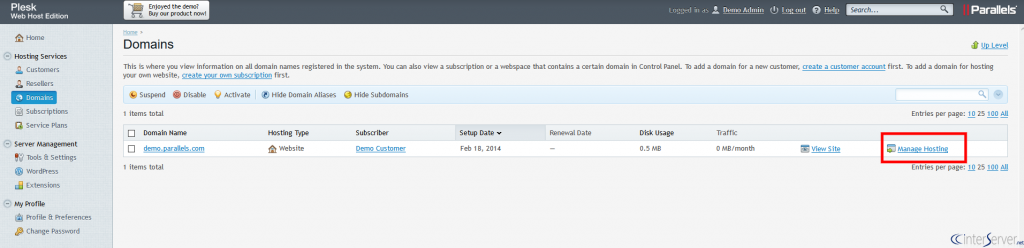
3) Find the ‘Manage Hosting’ button adjacent to the domain name and click on it.
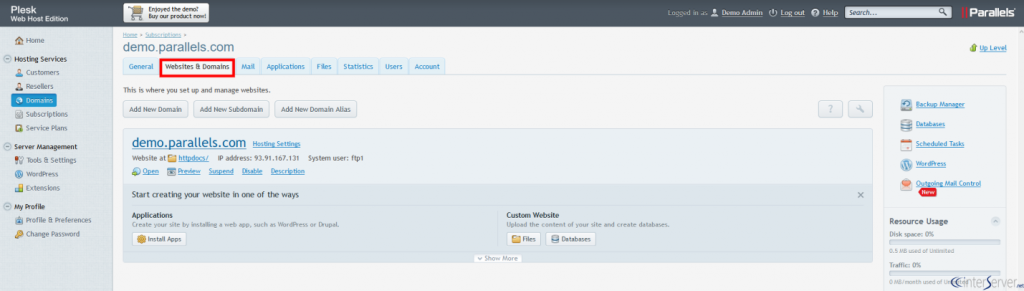
4) Proceed to the ‘Websites & Domains’ tab.
5) Click on the ‘Databases’ button.
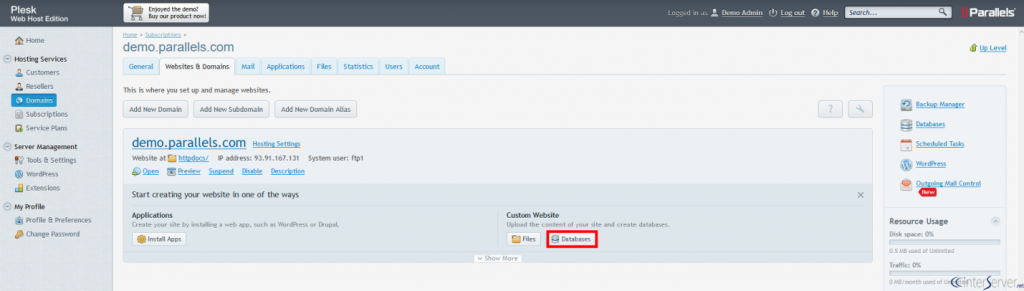
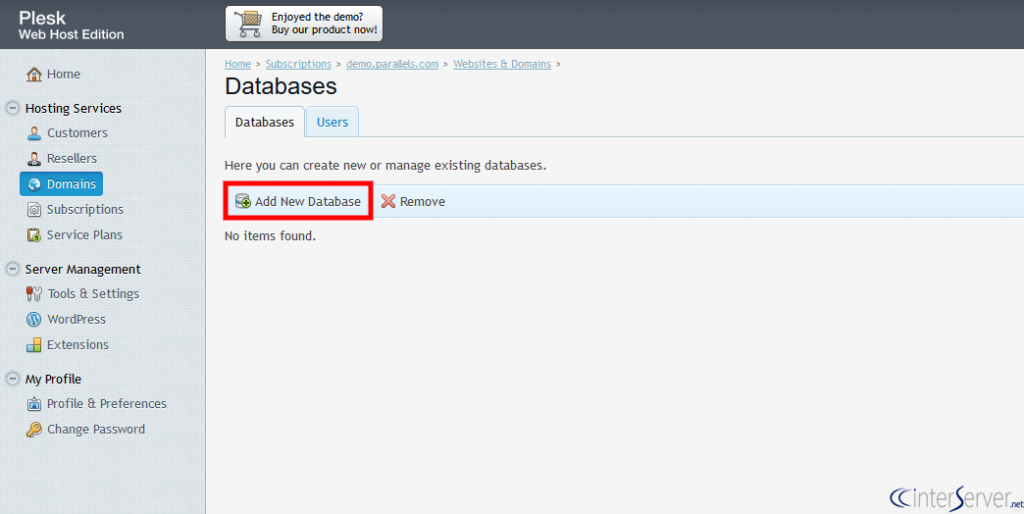
6) Locate and select the ‘Add New Database’ icon.
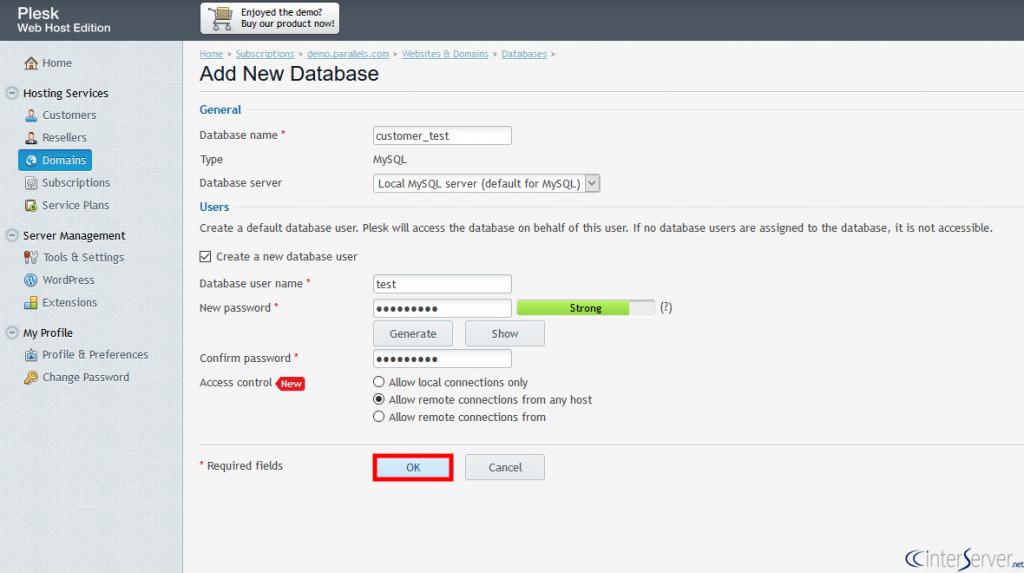
7) Key in the necessary details for the database and user, then click on the “OK” button.
8) The new database and user have now been successfully created.
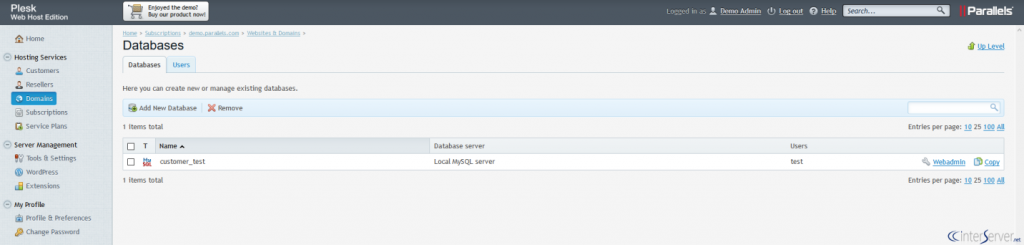
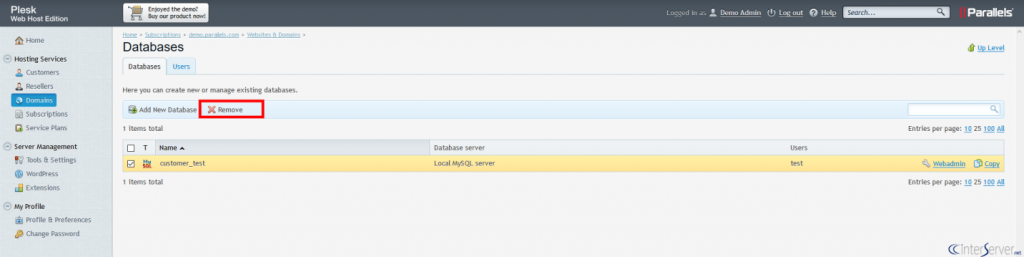
9) To delete a database, simply select the database name and click on the ‘Remove’ button.