How to Run MySQL Query in phpMyAdmin
This article demonstrates the step-by-step process of running a MySQL query in phpMyAdmin.
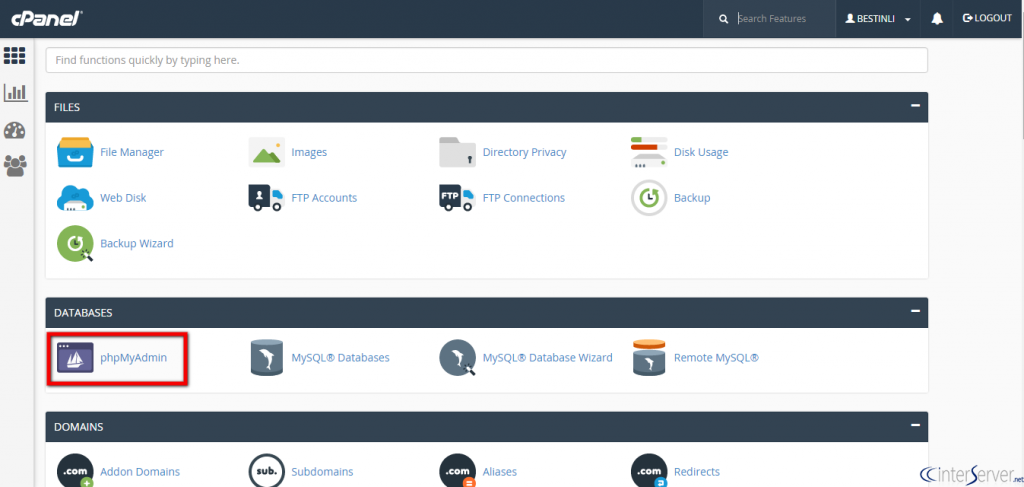
1) Access your cPanel account.
2) Locate and click on the ‘phpMyAdmin’ icon under the ‘DATABASES’ section.
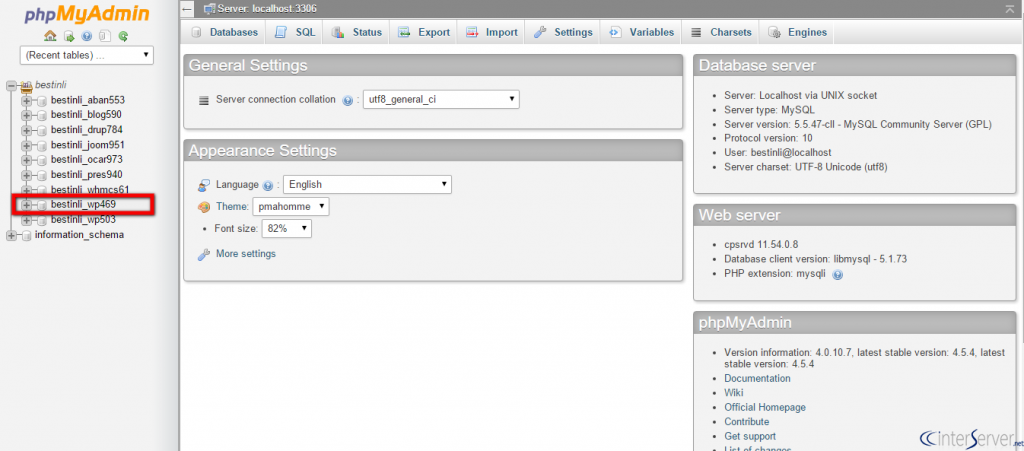
3) Choose the appropriate database name.
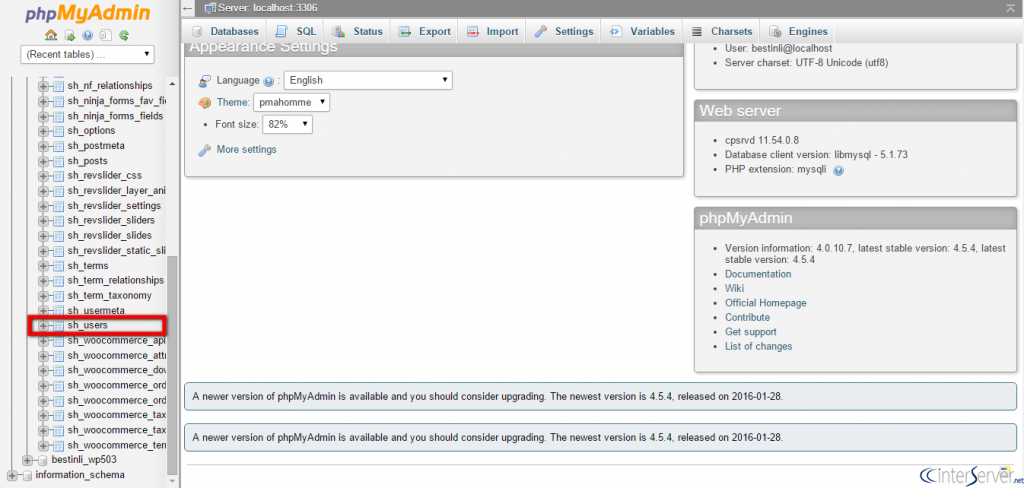
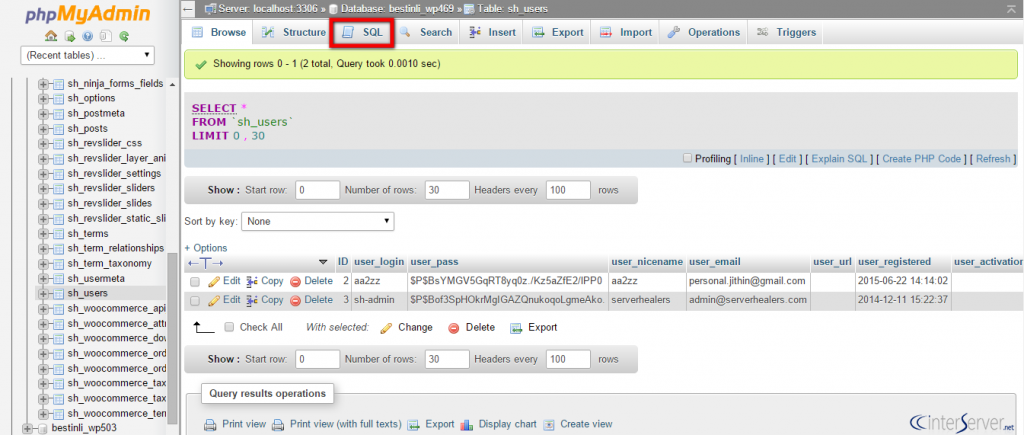
4) Select the desired table where you intend to perform the operation.
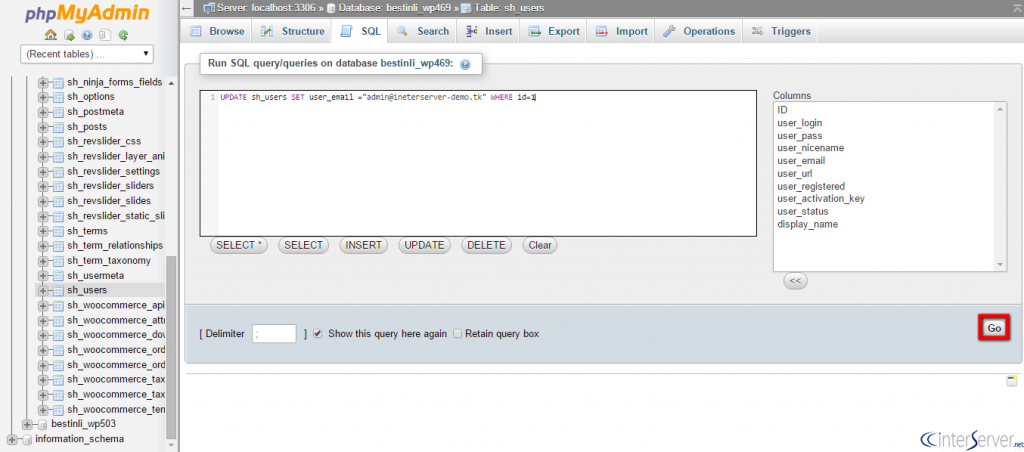
5) Navigate to the ‘SQL’ tab.
6) Input the query into the provided text box.
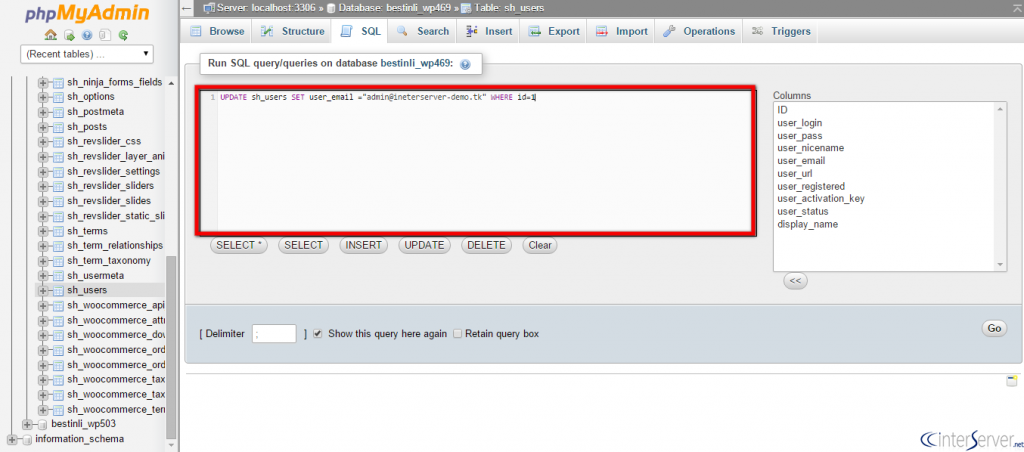
7) Execute the query by clicking the ‘GO’ button.